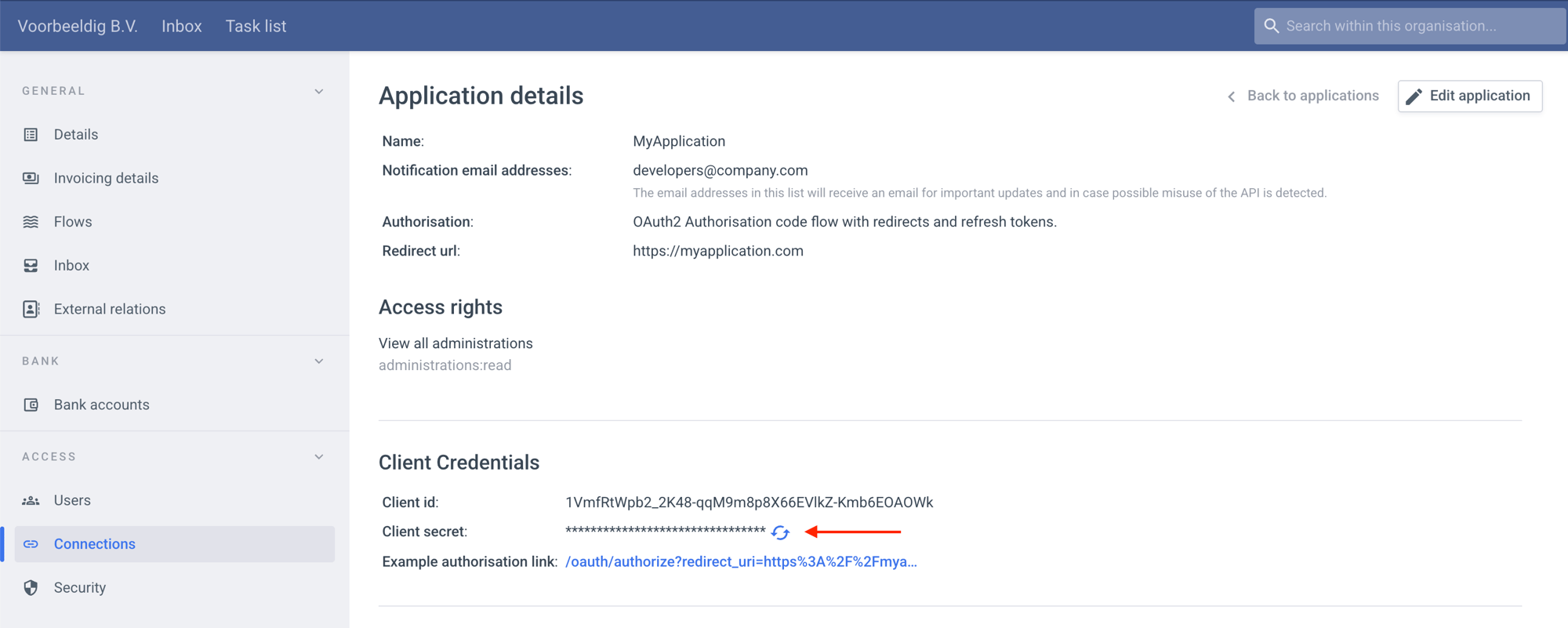
Connections page. Here you can create and manage your OAuth applications and connections. Every user with company-wide admin privileges can view, create and edit applications. It might be desirable to create a separate Payt company with only a few users in order to isolate access to your applications.
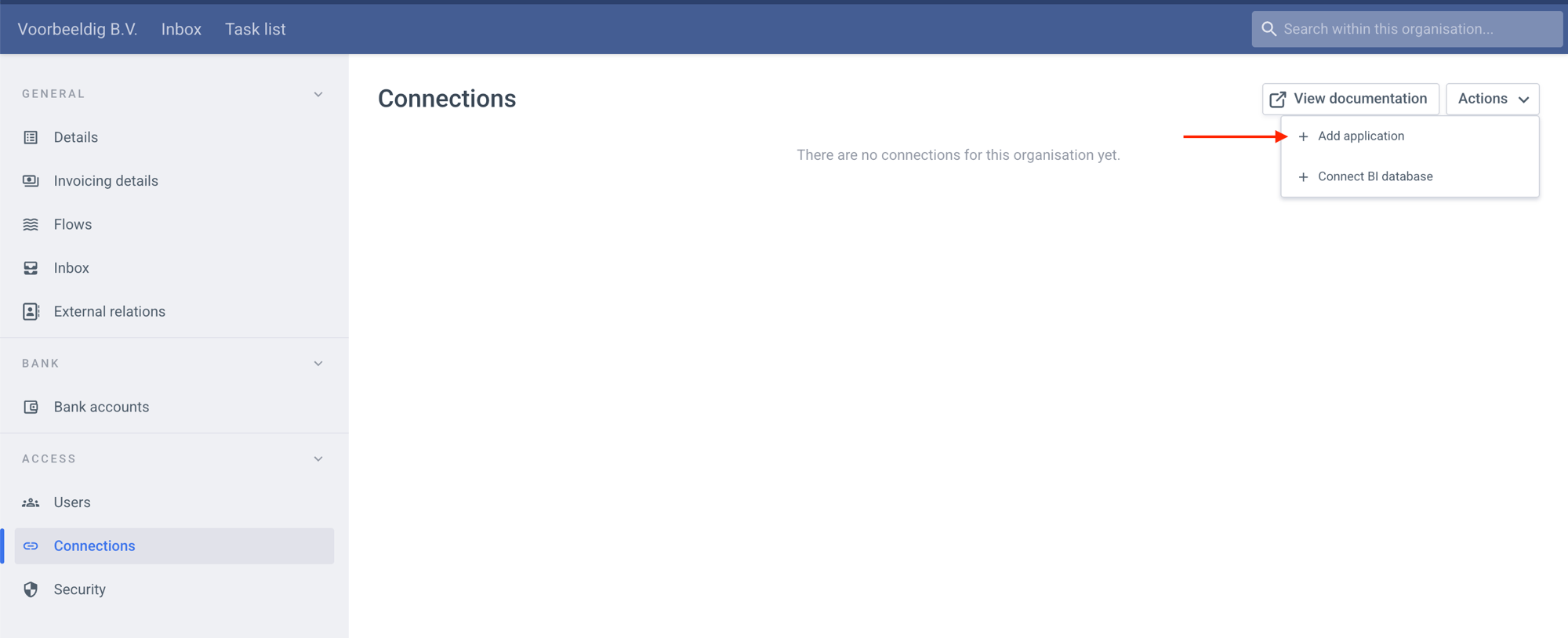
Name
The name of the application should be one that is recognizable by your users. It should probably be the name of your app.Grant type
This is the authorization strategy used by the application. Using theauthorization_code strategy is recommended since it is more secure. In some cases this strategy cannot be used:
- when the redirect flow during the authorization process is not possible
- when the
client_secretcannot be kept secret from end users in local installations - when the continuous refreshing of the access token with the refresh token cannot be implemented.
This setting cannot be changed once the application has been created.
Requesting a client_credentials access token
Applications using the client_credentials strategy fetch their access token directly from the token endpoint, using Basic authorization. No user interaction is required.
Redirect URI
Theredirect_uri is the URL that your users are sent to after they complete the authorization process. This is probably a specific route to your app by which you can identify requests from our server, for example: https://example.com/callbacks/payt or https://example.com/oauth/callbacks?provider=payt.
If you change the redirect_uri, do not forget to update the redirect_uri parameter in the authorize_url and the request to create an access token. Otherwise a 400 bad_request error will be returned during the authorization process.
IP-addresses allow list
When 1 or more addresses are defined, then each API request is validated to originate from one of those IPs. If a request with a valid access token is sent to the API from an unauthorized IP address, the access token will be revoked and a403 forbidden response will be returned.
An email will also be sent to the application notification email addresses whenever a valid request from an unauthorized IP address is detected.
Permissions
Select the permissions your app requires. There is no limit to the number of permissions you can select, but it is advisable to select the minimal set your app requires. Users will have to explicitly grant the permissions you request. The fewer you request, the higher the chance a user will grant them. Read more on the consequences of updating permissions here.Client ID
When the application is created, aclient_id is generated. This client_id uniquely identifies your application. This ID is not secret; it is accessible to your users.
Client secret
When the application is created, aclient_secret is generated. This secret is shown only after the application has just been created. It should be stored securely on the client and only used for a few specific calls to the server. Do NOT include it as a parameter in the authorize_url.
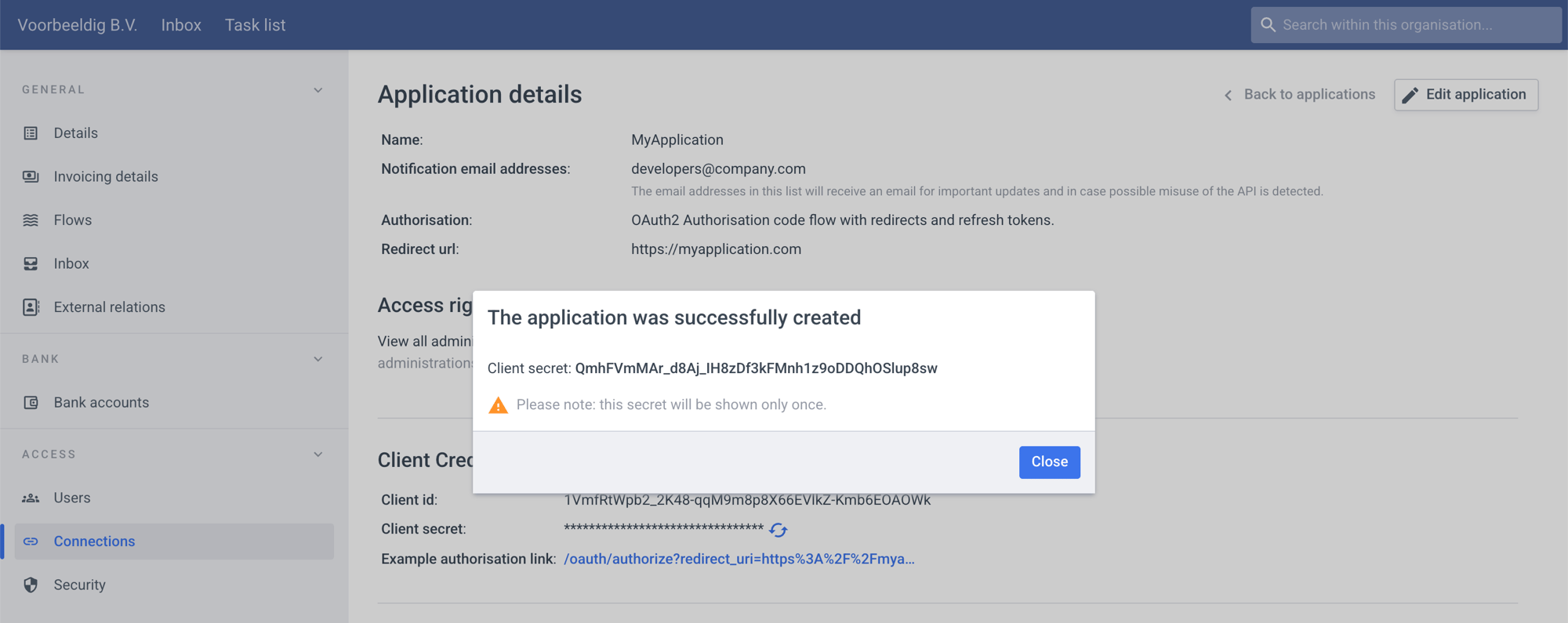
client_secret can be rotated at any moment. The moment it is rotated, all currently valid access tokens will remain valid until they expire. But to fetch a new access token, the new client_secret must be supplied. By refreshing all access tokens just before rotating the secret, a time window can be created in which the client_secret can be rotated while current authorizations remain active.